You paid an agency or a freelancer to promote your website, and a spammy backlinks check is the way to see what they actually built. For a while, the reports sounded fine. Then your rankings slipped — or a warning appeared in your Google account — or another SEO took one look and said the words every business owner dreads: “It’s your links.”
Or maybe nothing has gone wrong yet, but something feels off. You asked for the list of links they built and were told they can’t send it — the links are somehow always a trade secret — while the monthly payment keeps going out.
You do not need to take anyone’s word for it — not theirs, and not ours. Google shows you who links to your website, free, in your own account. This guide walks you through the check exactly as Google’s own documentation describes it. Twenty minutes, no paid tools, no technical knowledge, no accusation made against anyone. Just your own data.
What counts as a spammy backlink?
A backlink is simply a link from another website to yours. Good links are a normal, healthy part of being on the web — a local newspaper mentions you, a supplier lists you, a customer’s blog links to your work — and Google counts them as votes of confidence.
A spammy backlink is one that exists to cheat. In Google’s own spam policies, this is called link spam: “creating links to or from a site primarily for the purpose of manipulating search rankings.” Google’s list includes buying or selling links to boost rankings, excessive link swaps, automated programs or services that create links, advert links that pass on ranking power without being labelled, keyword-stuffed links hidden in footers and widgets, and links from low-quality directory and bookmark sites.
In plain terms: if a link was placed on a website nobody reads, purely so Google would count it, it is link spam — whatever your agency calls it. The one honest exception: a paid link is acceptable if it carries a label (rel="sponsored" or rel="nofollow") telling Google not to count it. Cut-price agencies almost never bother, because the vote is the whole point of what they sold you.
The same playbook often shows up on the website itself — hundreds of near-identical town pages built to catch searches (doorway abuse, in Google’s words) and mass-produced articles written for rankings, not readers (scaled content abuse). This guide is about the links, but if your agency built those too, they came from the same place.
Before you start: what this spammy backlinks check can and cannot tell you
What it can tell you: whether Google has formally penalised your site, who your biggest linking sites are, what words those links use to describe you, and whether the pattern looks like genuine local reputation or a bought footprint.
What it cannot tell you: every single link. Google’s Links report shows a sample, not the complete list — Google says so itself. That sample is enough: bought links are never bought one at a time.
And one thing to hold on to throughout: having some spam links is normal. Every real business collects junk links from scrapers and spam sites, and Google mostly ignores them. You are not looking for a handful of odd links. You are looking for a pattern — volume, sameness, and links that clearly arrived because someone was paid to place them.
Step 1: Has Google penalised you? Check Manual Actions first
Do this before anything else, because it decides how serious your situation is.
- Go to Google Search Console (search.google.com/search-console) and sign in with the account that owns your website. No access? That is a finding in itself — your accounts should be yours. Ask your agency, in writing, to add you as an owner.
- In the left menu, open Security & Manual Actions, then Manual actions.
- Read what it says.
If it says “No issues detected”: Google has not penalised you. You are in the calmer situation described later — fix the pattern, do not panic, and do not rush into the disavow tool.
If it lists “Unnatural links to your site”: Google’s human reviewers have acted on your link profile. This is the serious case: some or all of your pages may have been pushed down or removed from results. The steps below are your route out.
Why does this come first? Because Google deals with bad links in three ways, and most “backlink panic” articles blur them: it can penalise a site by hand (a manual action); it can silently neutralise bad links so they stop helping — its SpamBrain system has done this since a link-spam update in December 2022; or it can just ignore ordinary random spam. Most businesses burned by a cut-price agency have the second or third problem plus a wasted budget — not a formal penalty. Knowing which one you have stops you paying for the wrong cure.
Step 2: How do I see who links to me in Search Console?
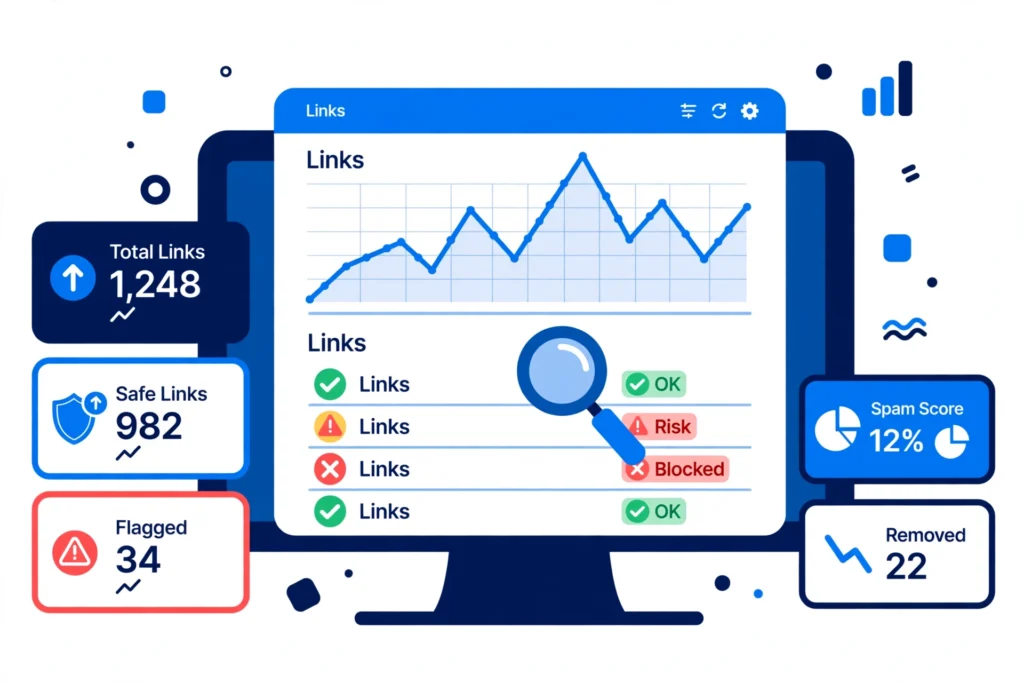
Still in Search Console, open Links in the left menu. This is Google’s own Links report, and three parts of it matter for this check:
Top linking sites — the websites that link to you most. Your first stop: click any site and Google shows which of your pages it links to, and from which of its pages.
Top linking text — the clickable words other sites use when they link to you (the “anchor text”). In a natural profile, most are your business name, your website address, or simple phrases like “their website”. Google’s guidance is blunt: “Confirm that the link text is what you expect, and not spammy text.”
Top linked pages — which of your pages attract the links. Bought links often point oddly: hundreds of them to one random blog post you barely remember publishing.
Two practical notes from Google’s documentation: the on-screen tables show up to 1,000 rows, so use the Export external links button for the fuller picture (up to 100,000 links); and the report does not show whether a link is labelled (nofollow/sponsored), so appearing here does not automatically mean Google counts it. Treat it as a map of what exists, not a verdict on each link.
Now spend your 20 minutes: open the top 15–20 linking sites one by one and ask three questions of each. Is this a real website a customer might visit? Is it about my town, my trade, or something related? Can I see my link in a genuine mention — or is it buried somewhere odd? The next section shows you what “odd” looks like.
Step 3: How do I tell good links from spammy ones?
Here are the five patterns that give bought links away — each written as an example of what owners find, with what it means and how worried to be, on the same green / amber / red scale as our other self-check guides.
🟥 Foreign-language link text that has nothing to do with you
What it looks like: Your Top linking text includes clickable words in languages your customers do not speak, or scripts you cannot read, pointing at your homepage or service pages.
What it means: An automated service or bulk seller, working across many countries at once, placed them. No genuine customer links to a Northampton plumber or an Oxford café in a language its readers do not use.
How worried to be: Amber for a few stray entries — random spam finds every website eventually. Red if it fills the list, or arrived in one sudden batch while your agency was “building authority”.
🟥 Your link keeps company with casinos, pills and essay mills
What it looks like: You open a page that links to you and find your business listed alongside online casinos, loan companies, essay-writing services and fifty other businesses with no connection to you or each other.
What it means: That page exists for one reason — to sell links. It is a link farm, and Google’s spam policies name this pattern directly.
How worried to be: Red if this is where most of your links live. Amber for one or two strays among hundreds of genuine links — common, and usually ignored by Google.
🟧 Your link is in the footer of a stranger’s website — on every page
What it looks like: A website you have never heard of carries your link in its footer (the strip at the bottom of the page), so the same link appears on every page of that site — sometimes thousands, which is why one unknown domain can suddenly be your “top linking site”.
What it means: Sitewide footer links are one of the oldest bought-link footprints there is; Google lists keyword-rich footer and widget links in its spam policies by name. One friendly local business linking partners in a footer is innocent; the same pattern from an unrelated site in another industry or country is not.
How worried to be: Amber on its own. Red when the footer text is a money phrase rather than your name (next flag), or when several unrelated sites do it at once.
🟥 The same sales phrase, used as the link, hundreds of times
What it looks like: Your Top linking text is dominated by phrases like “best SEO agency Oxford”, “cut-price emergency plumber Leeds” or “affordable wedding venue” — your most commercial wording, repeated again and again, from sites with no connection to you.
What it means: Somebody chose those words deliberately to push those exact searches. Real people write your business name — it is what they know you as. Clickable words that read like an advert, repeated hundreds of times, are the clearest fingerprint of bought links there is, and the pattern behind most “Unnatural links” manual actions.
How worried to be: Red. The flag to take most seriously, especially combined with any flag above.
🟥 Dozens of brand-new websites, all linking to you, none of them real
What it looks like: Page after page of thin, generic “blogs” — short articles on mixed topics, no real business behind them, no contact details, no sign a customer has ever visited — all created recently, all linking out to businesses like yours.
What it means: A private blog network (PBN): manufactured websites built to look like independent voices, all owned or controlled by the link seller. The most deliberate form of link spam, and the one Google’s systems are tuned to detect and neutralise.
How worried to be: Red if they make up a visible share of your profile — and ask the follow-up question: if your agency built these, what else did they do that you cannot see?
What good links look like — for comparison
A healthy local profile is smaller and duller than a bought one, and that is fine. Links that help you look like this: a local newspaper or community site mentions you in a real story, using your business name as the link. A supplier, trade body or training provider lists you among genuine local stockists or members. Your chamber of commerce, or a local event you actually sponsored, links back to you. A customer or neighbouring business recommends you in their own words.
Real organisations, real places, your own name as the link text, a page a human might actually read. If most of your profile looks like this, the odd spam link is just weather — leave it alone.
My agency built them — what should I do now?
Do these in order. The order matters: evidence first, confrontation second, technical fixes last.
1. Secure what is yours. Make sure you personally own — in your name, with your login — your website, domain, Search Console, Analytics and Google Business Profile. If the agency set everything up in their accounts, getting ownership transferred is job one, before any argument about links.
2. Save the evidence. Export your Links report (the full export, not screenshots) and save your manual-action page as it stands. Search Console data is a sample that changes over time; your export is your record of what you found and when.
3. Ask the agency in writing. Email, not phone, so the reply is on record — use the questions in the box further down this page. A straight answer with a full link list ends the matter one way; a refusal, a “trade secret” claim, or links that do not match your export ends it the other way.
4. Try to get the worst links removed. The honest first route is asking the linking sites to remove them — Google’s guidance expects removal attempts before anything stronger. Contact the site owners, keep copies of what you sent and when, and document the attempt even when nobody replies.
5. Only then, weigh up the disavow tool. That is the next section, and it has a strict test attached to it. Do not skip ahead.
6. If you have a manual action, ask Google to review it. Once cleanup is done, the Manual actions page has a Request review button. Explain plainly what was done, removed and disavowed. Reviews take from a few days to a few weeks; if the penalty is lifted, the action disappears from that page — that message is your confirmation.
And if your problem is bigger than links — pages Google cannot read, duplicate titles, thin town pages — our technical self-check guide covers the on-site side: How to check your technical SEO yourself.
Should I disavow? Google’s two-condition test — read this before touching the tool
The disavow tool lets you hand Google a list of links and say “please ignore these”. It sounds like an obvious clean-up button, which is why it gets misused: the moment owners find spam links, someone — often a salesperson — tells them to disavow everything immediately, sometimes for a fee.
Google’s own disavow documentation says the opposite. In most cases Google can judge which links to trust without your help, so most sites will never need this tool — and because it is an advanced feature, using it incorrectly “can potentially harm your site’s performance in Google’s search results.”
The honesty box — disavow ONLY if BOTH of these are true:
- You have a considerable number of spammy, artificial or low-quality links pointing at your site — not a handful, a pattern, like the red flags above.
- Those links have caused a manual action, or are likely to cause one — the Step 1 check told you, or the scale of the problem makes it a real risk.
Both conditions, together. If you have spam links but no manual action and no realistic risk of one, leave the tool alone: Google is already ignoring or neutralising the rubbish by itself, and every genuine link you accidentally include in a disavow file is a real vote thrown away — in the worst cases we see, owners’ own good citations and directory listings, disavowed in a panic by someone who charged them for it.
Three more “do nots” from the same Google guidance:
- Do not buy a “toxic link removal” package sold off a third-party toxicity score alone. Those scores are a vendor’s guess, not Google’s judgement — Google does not publish your links’ toxicity, and its test above is the one that counts.
- Do not disavow your genuine links — local citations, trade directories, chamber listing, sponsors, suppliers. They can look plain in a spreadsheet and still be doing real work.
- Do not pay a linking site to remove your link. If a site demands money for removal, that is what the disavow tool exists for — after the two-condition test is met.
How do I create a disavow file safely?
If — and only if — both conditions above are met, and your removal attempts are documented, here is the file itself, per Google’s instructions:
- A plain text file (
.txt), one entry per line: either a single page address, ordomain:example.comto disavow a whole site at once. Whole-domain entries are the norm for link farms and PBN sites — there is nothing on them worth keeping. - The limits are 100,000 lines and 2 MB. A local business will come nowhere near them; if your file is enormous, that itself tells a story about what was bought in your name.
- You upload it through Google’s Disavow Links tool, on the correct website property.
- A new upload replaces the old file completely — it does not add to it. If you have disavowed before, download the existing file first and merge your new entries into it, or you will silently un-disavow the old list.
- Disavowed links still appear in your Links report afterwards. That is normal — the report shows what exists, not what Google counts — and it takes weeks for Google to work through a file. Nothing changes the day you upload it.
Questions to ask your current agency or freelancer
Copy these into an email exactly as written. You are not accusing anyone — you are asking for records any honest provider keeps as a matter of routine.
1. Please send me the full list of backlinks you have built for my website: the page that links to me, the page on my site it links to, and the date each link was placed.

2. Did you pay for any of these links, pay for posts containing them, or use any automated link-building service or network?

3. Are any of the links sitewide (for example in a footer), or on websites you own or control?

4. Who owns my Google Search Console, Analytics and Google Business Profile accounts? If they are in your name, please transfer ownership to me this week.

5. If I stop working with you, what happens to the links you built — do any of them get removed?
If the answers come back complete and match your own export, you very likely do not have the problem this page is about. If you get silence, a refusal, or “our methods are an industry secret”, you have your answer a different way — Google’s own guide to hiring an SEO warns about exactly this: beware of firms that are secretive or claim a special relationship with Google. The same guide states the sentence worth pinning above every agency contract: no one can guarantee a #1 ranking on Google.
What does proper off-page work look like instead?
Slower, smaller, and checkable. That is the honest summary.
Proper off-page SEO means earning links the way the green examples above happen: a local organisation that genuinely works with you, a supplier or trade body listing its real members, a local story worth telling, a guide on your own site good enough that other websites choose to reference it. Links arrive one at a time, from websites in your world, mostly using your business name — and every one can be listed in a monthly report without embarrassment.
Which gives you the simplest test of any agency, including us: ask to see the links. A provider doing proper work can show you each one and explain why it exists. Our full off-page process is set out on our How We Work page: How we do off-page SEO.
How do I stop it happening again?
Put four things in writing before any SEO work starts, whoever does it:
- No paid links, no link networks, no automated link building — named in the agreement, not implied.
- A list of every link built, in every monthly report — the linking page and the date, so you can spot-check it against your own Search Console in five minutes.
- Your accounts in your name — website, domain, Search Console, Analytics and Google Business Profile, owned by you from day one.
- The work stays if you leave — no links held hostage, no website you cannot take with you, no exit fee for your own assets.
These are the standard terms our own packages are sold on — the UK SEO packages page sets out what is included, what is never included, and how the reporting works, so you can hold it against any quote you are given. And if you are still deciding whether SEO is even the right spend for a business like yours, our guide to who needs local SEO gives the honest version — including who does not need it.
How long does recovery take — honestly?
It depends which problem you actually have — anyone who gives you a single number for all three is selling something.
If Google was silently neutralising your bad links: there is no recovery event to wait for — those links were already being discounted, so your real position was the one you saw. Recovery here means building the genuine profile that was never built: real local links, proper pages, reviews. Months of normal work, but it is building, not unblocking.
If you have a manual action: cleanup and the review request are in your hands — days of work, then a review taking a few days to a few weeks. If the action is lifted, the penalty goes, but the rankings the bought links propped up do not come back with it; they were never honestly earned. Expect to rebuild from where your real profile deserves to be.
If you simply wasted money on links Google ignored: nothing to recover from Google, and nothing to claim back from it either. Stop paying for the pattern, keep the evidence, and redirect the budget to work you can verify.
What cannot be fixed: rankings bought with spam do not convert into rankings kept. What can: almost everything else, given time and clean work. We will not promise you a date — and you should not believe anyone who does.
Frequently asked questions
Can a competitor hurt me by building spammy links to my site?
This is the “negative SEO” fear, and it is mostly larger than the reality. Google’s systems are built to ignore obvious third-party spam, and most such links are discounted without you doing anything. The two-condition test still applies — if links were built at a scale that caused, or genuinely risked, a manual action, the disavow tool is there for it. A handful of junk links from nowhere is not that.
I found spam links, but I have no manual action. Should I panic?
No. This is the most common result of the check, and the calmest. Google is almost certainly already ignoring or neutralising them. Note what you found, ask your provider the questions above if the links trace back to them, and glance at the Links report every few months. Do not disavow out of nervousness — you risk throwing away good links to fix a problem Google has already handled.
Will disavowing my bad links boost my rankings?
No — disavowing removes a risk; it adds nothing. At best it ends a manual action or prevents one. If the links were already neutralised, removing them formally changes nothing you will see. Anyone selling disavow work as a rankings boost is misdescribing the tool.
My agency refuses to share the links they built. What can I do?
Start with this guide: the links are visible in your own Search Console whether they cooperate or not, so the refusal hides nothing except their attitude. Then treat it as the relationship problem it is — secure ownership of your accounts (Step 1 of the fix list above), get the refusal in writing, and read your contract’s exit terms. A provider who will not show you the work has told you the most important thing about it.
Get your backlinks checked properly — free
The check above tells you whether a problem exists. If you found red flags and want a second pair of eyes before you act — especially before touching the disavow tool — send us your website and we will audit your link profile the way this guide describes: what is genuine, what is bought, whether the two-condition test is met, and what we would do, in plain English. No charge, no obligation, no panic sold with it.