Service Area SEO: How to Rank Without a Storefront
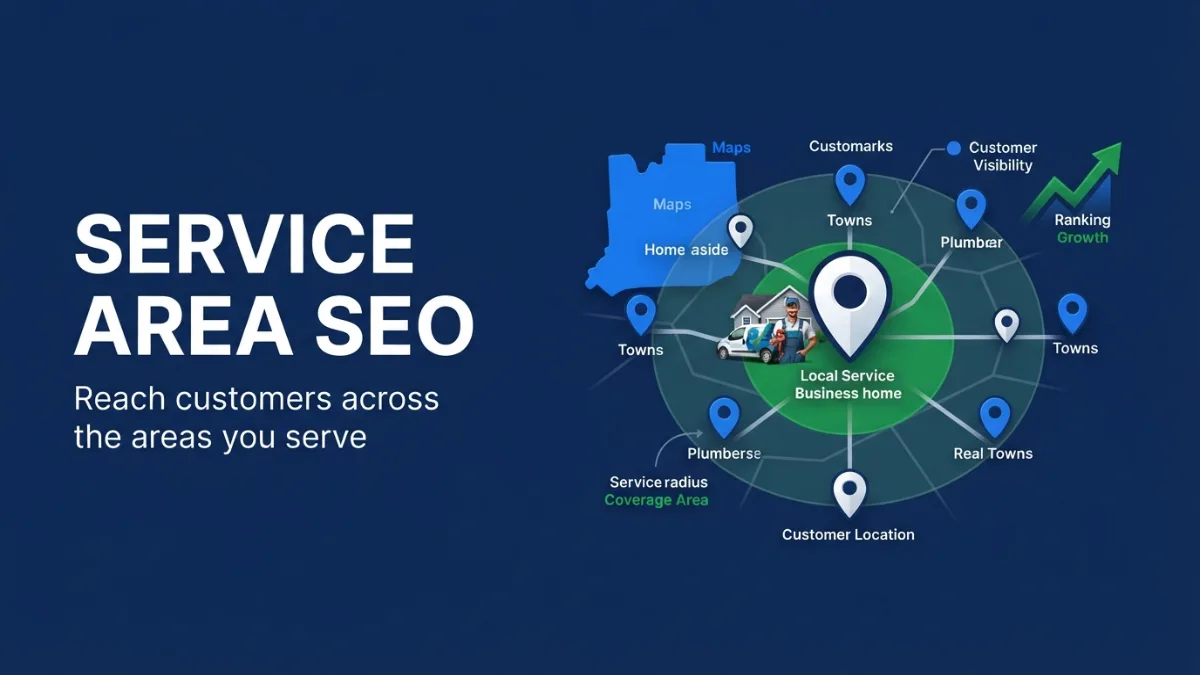
Service area SEO is local SEO for businesses that go to the customer — plumbers, HVAC techs, roofers, cleaners, pest control — instead of having customers visit a storefront. It means setting up your Google Business Profile as a service-area business, choosing realistic service areas, and building website pages that prove you work in those towns.
If you run your business from home or a yard, this guide shows how to show up in Google Maps and local results without a public address.
Want to see where you rank across your service area? Get a free audit with a Maps grid check.
Can a Service Area Business Rank on Google Maps?
Yes, a service area business can rank on Google Maps. Google lets businesses that serve customers at their location hide their address and list service areas instead. You still rank based on relevance, distance, and prominence — distance is measured from your verified business location, even though customers can’t see it.
That last part is important. Listing 20 towns doesn’t make you rank equally in all 20. You’ll usually rank strongest near your base and need stronger reviews, pages, and links to compete further away.
How Should I Set Up My Google Business Profile Service Area?
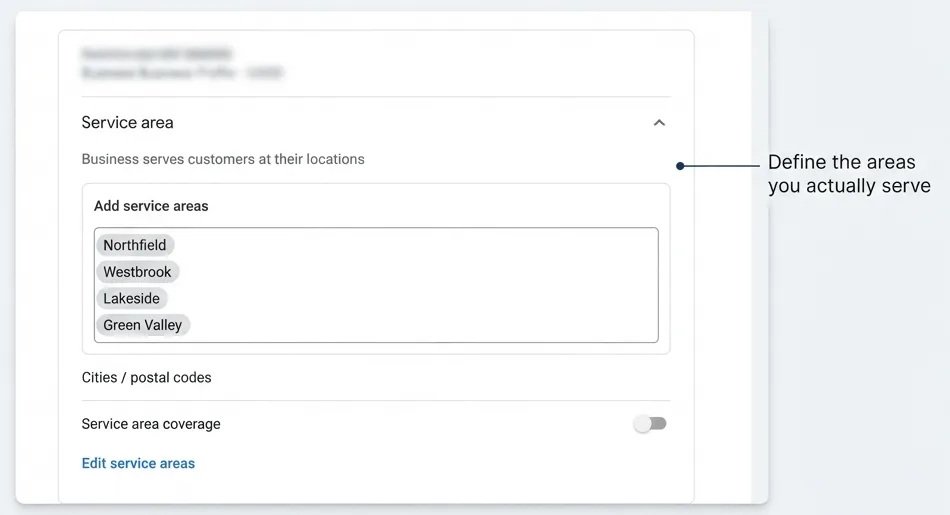
Set up your Google Business Profile service area by hiding your address if customers don’t visit you, then adding the cities, ZIP codes, or counties you actually serve. Google allows up to 20 service areas and says they generally shouldn’t extend farther than about two hours’ driving time from your base (Google Business Profile Help).
Checklist:
- Business type: choose “I deliver goods and services to my customers.”
- Address: hide it if you don’t serve customers there. Never use a virtual office or PO box.
- Service areas: list the towns you really serve, starting with the ones you want most.
- Categories and services: match your main money-making services.
- Hours: show real hours; add “24 hours” only if you truly answer.
Why Am I Not Ranking in All My Service Areas?
You’re not ranking in all your service areas because Google still uses distance from your verified location. Towns close to your base are easier; towns further away need more proof — reviews from customers there, website pages about your work there, and local links or mentions.
Ways to grow your reach honestly:
- Service + town pages for your most valuable towns, with real details: jobs done there, local conditions, response times. Not copy-paste pages with only the town name changed.
- Reviews from customers in those towns. Ask customers to mention what you did; many will naturally mention where.
- Photos from real jobs in those areas.
- Local mentions: chamber of commerce, local suppliers, sponsorships, community groups.
Should I Create a Website Page for Every City I Serve?
Create pages only for the cities you most want work from, and make each one genuinely useful. Google treats near-identical pages that only swap the city name as doorway pages, which can hurt the whole site. Three strong town pages beat thirty thin ones.
A strong service area page includes:
- What you do in that town and how fast you can get there
- Neighborhoods or nearby communities you cover
- A real job example or review from that area
- Local issues (old housing stock, hard water, storm season — only if true)
- A click-to-call button and short form
How Does Hyper-Local SEO Work for Small Businesses?
Hyper-local SEO targets very small areas — a neighborhood, ZIP code, or a few streets — instead of a whole city. It works best for service businesses near their base: mention the neighborhoods you serve, get reviews from customers there, and post photos of real jobs in those areas.
What Should a Service Area Business Never Do?
A service area business should never list a fake address, a virtual office, or a PO box, add keywords to its business name, or create multiple profiles for one business. These break Google’s guidelines and are a common cause of suspended profiles — which can wipe out your Maps visibility overnight.
How Do I Track Rankings Across My Service Area?
Track rankings across your service area with a local rank grid, which checks your Maps position at points across a map rather than from one spot. It shows where you’re strong, where you fade out, and which towns need more work.
Our Google Maps SEO service includes grid tracking so you can see your service area coverage change month to month.
See How Far Your Service Area Really Reaches
Service area SEO works best when you know exactly where you show up and where you don’t. Our free audit includes a Maps grid snapshot across your service area, a check of your Google Business Profile setup, and the top three fixes to reach more towns.
Built for home-service businesses: see our home service SEO.
Not ready yet? Download the free Local SEO Checklist.
Frequently Asked Questions
Can I switch my profile from storefront to service area?
Yes. Edit your business location settings, hide your address, and add service areas. Changes may be reviewed by Google before they show.
Does hiding my address hurt my ranking?
Hiding your address doesn’t by itself lower your ranking. Google still uses your verified location for distance; it just isn’t shown to the public.
How many service areas should I add?
Add the towns you truly serve, up to Google’s limit of 20. Start with your most valuable towns, and keep them within a realistic driving distance.